
Visible symptom
A correct boot can still look broken
The user presses the power button. The backlight may stay dark, turn on over black, show a logo, flash, return to black, expose a compositor color, and finally reveal the application. Engineers looking at serial output see normal progress. The operator sees uncertainty: did the device start, restart, or fail?
This matters most in customer- and operator-facing equipment: industrial HMIs, medical interfaces, mobility displays, kiosks, and instruments. These products are judged from the first visible reaction, not from the moment the application team considers its process ready. A brief blank frame can be technically harmless and still reduce perceived quality.
“Flicker” is often used for several different effects. Record which one actually occurs:
- Backlight event: the light source turns off or changes level.
- Signal loss: the panel or bridge loses a valid link and may show black or its own fallback state.
- Mode change: timing, clock, resolution, or format is programmed again.
- Framebuffer discontinuity: the link stays active but the selected buffer contains black or unfinished content.
- Userspace exposure: a compositor background or placeholder becomes visible before the application’s first complete frame.
The diagnostic question is not only “when does Linux show an image?”
Ask who owns the display pipeline at each stage, which state that owner changes, and what buffer is scanned out immediately before and after the change.
Diagnostic method
Correlate the camera, console, and DRM state
Start with a fixed-camera recording that includes the power action and the complete panel. High-frame-rate video is useful because a one- or two-frame blank may be missed in casual observation. Add a visible timer if available. Then collect timestamped boot output and align events rather than relying on memory.
journalctl -b -o short-monotonic
dmesg -T | grep -Ei 'drm|lcdif|ldb|dsi|hdmi|bridge|panel|framebuffer'
for connector in /sys/class/drm/card*-*/status; do printf '%s: ' "$connector"; cat "$connector"; done
On development systems where debugfs is mounted and access is permitted, the DRM atomic state can show the active connector, CRTC, plane, mode, and framebuffer. Paths and permissions vary by kernel and distribution:
cat /sys/kernel/debug/dri/0/state
modetest -c
modetest -p
modetest may not be installed in a production image and can interfere with an active compositor if used to change state. Use its read-oriented output deliberately on a development target. Also capture bootloader timestamps, the instant the DRM driver binds, compositor startup, and the application’s own “first complete frame submitted” marker.
Read the sequence, not one log line
A connector reporting “connected” does not prove continuous output. A modeset can occur while connection remains stable. Likewise, a quiet kernel log does not prove that no register, clock, reset, bridge, or plane state changed. The useful evidence set combines physical output with software events.
Separate three milestones: first electrical output, first designed pixel, and application ready. Optimizing one does not automatically optimize the others. That distinction prevents a splash-screen improvement from being misreported as a faster application boot.
Common approaches
Why familiar fixes can remain fragile
| Approach | What it improves | Remaining boundary |
|---|---|---|
| Bootloader logo | Creates an early branded frame. | The kernel may still reset or reconfigure the pipeline. |
| Linux splash | Covers part of kernel/userspace startup. | It starts after earlier stages and may hand off again to the compositor. |
| Keep-boot-display / simplefb | Can preserve an inherited framebuffer on supported paths. | Driver probe, clocks, bridges, formats, memory ownership, or the first real modeset still need coordination. |
| Start compositor earlier | Reduces time to a userspace surface. | The application can still expose an incomplete or temporary frame. |
| Blank until ready | Hides intermediate states. | The product remains visually silent and backlight timing becomes another transition. |
None of these techniques is inherently wrong. A bootloader logo can be sufficient when one clean kernel takeover is acceptable. A Linux splash can be excellent when the kernel already preserves the display. The fragility appears when the chosen technique controls only one stage but is expected to guarantee continuity across all stages.
Architecture choices
Choose where continuity is enforced
There are three broad choices. First, let each stage own and initialize the display, then tune the boundaries until the result is acceptable. This is closest to standard upstream behavior but makes continuity a property of several coordinated implementations.
Second, inherit display state from the bootloader into Linux. This can reduce reinitialization, but it depends on compatible state descriptions, reserved memory, driver behavior, and a controlled first modeset. It is attractive when the hardware and BSP already support a reliable handover contract.
Third, keep one component as the persistent display authority while other stages become renderers. This moves the invariant from “every transition must be visually perfect” to “the live pipeline is not torn down.” It requires suitable hardware isolation, a sharing model, a Linux integration driver, and an explicit switching policy.
The right answer depends on the SoC, recovery requirements, team ownership, upstream strategy, update cadence, panel topology, and how costly a visible reset is to the product. Diagnose the existing boundary before selecting the architecture.
Observed on real hardware
What the boot stages look like
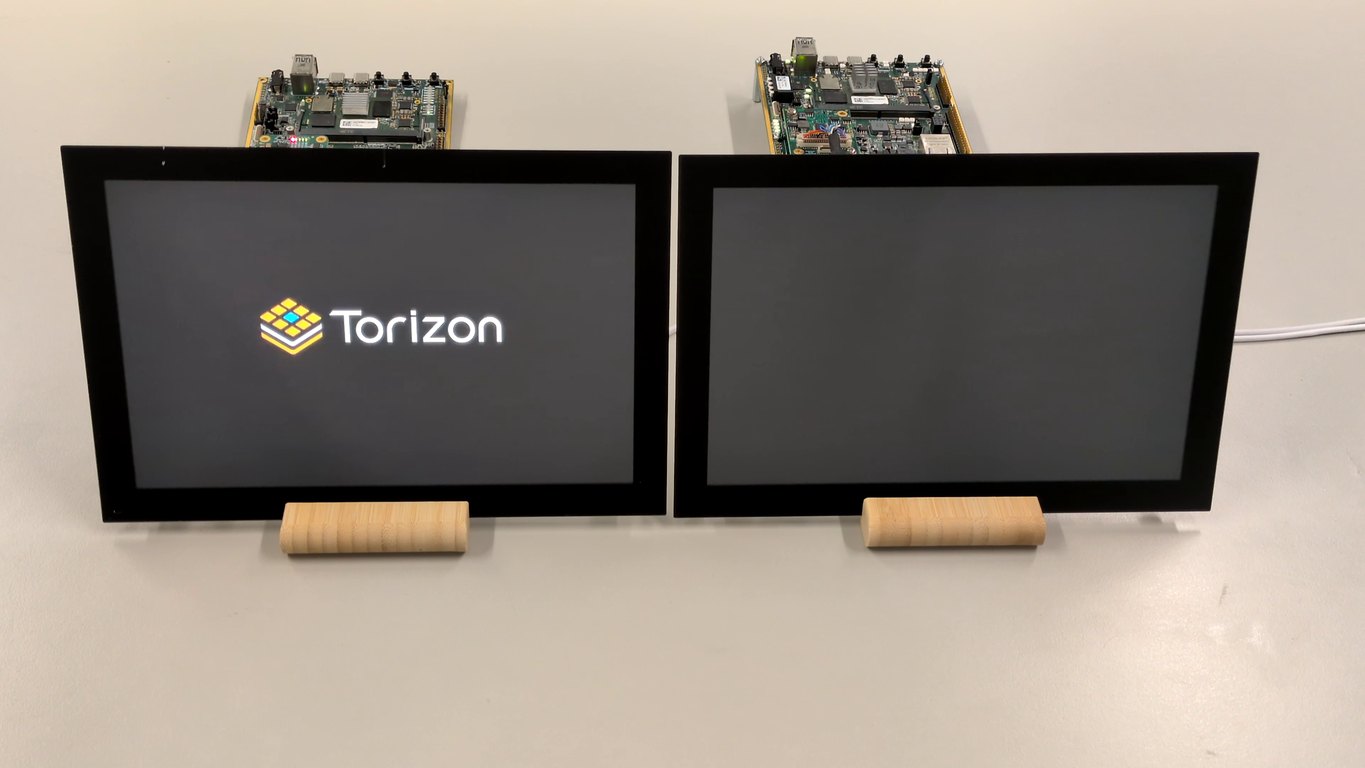
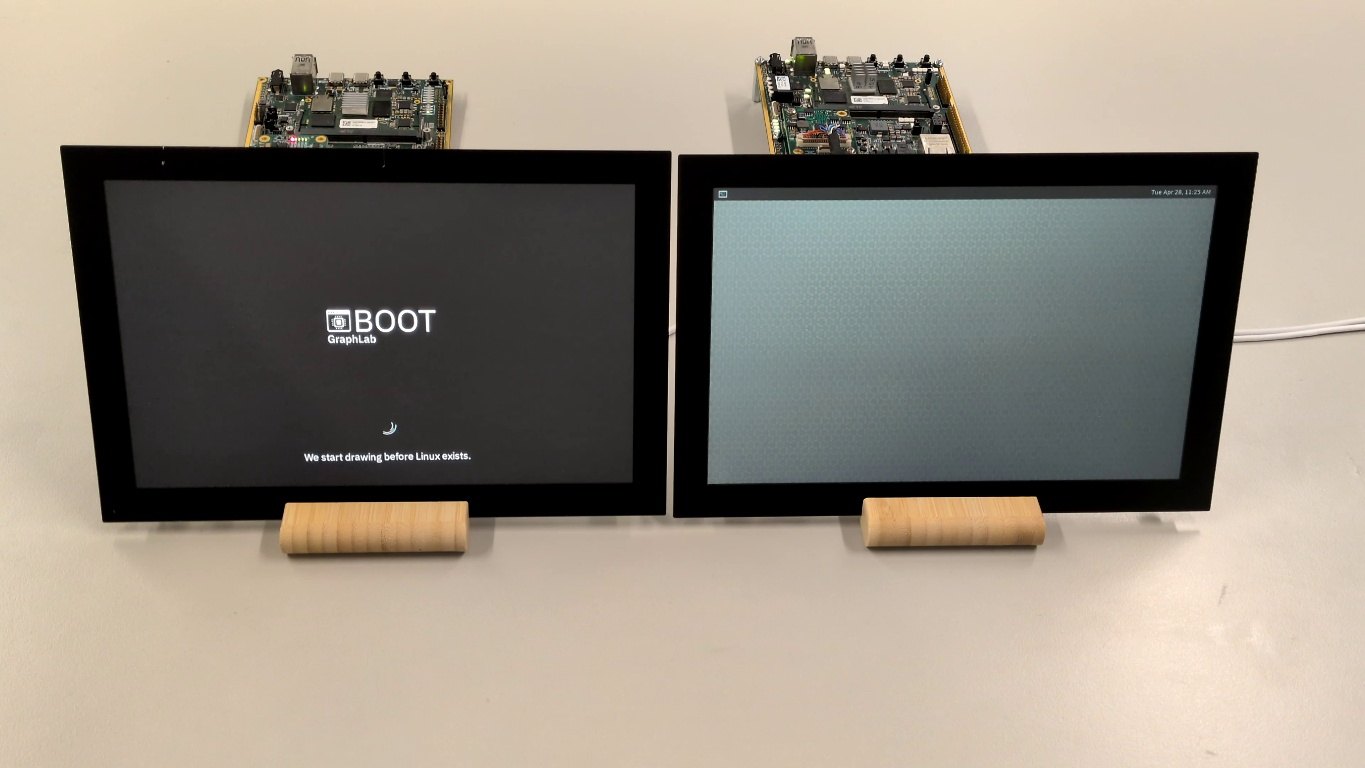
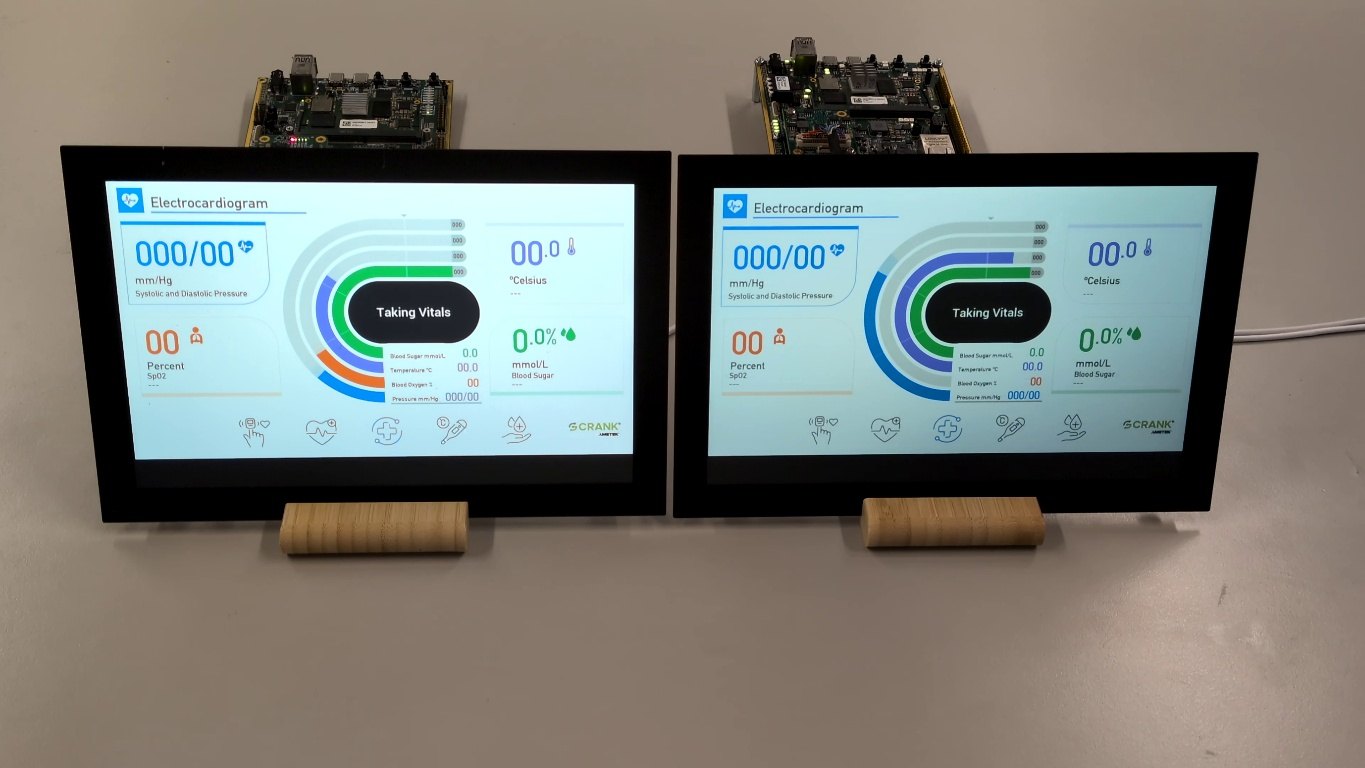
GraphLab Boot mechanism
Keep the output path active while Linux starts
GraphLab Boot applies the persistent-authority model on a heterogeneous SoC. GraphLab Core runs on the real-time core, initializes the display path early, and keeps that path active and protected. Linux boots in parallel on the application cores and renders into shared framebuffers connected to the already running output.
The visible output switches to the Linux-rendered framebuffer only at a chosen readiness point. That point can be detected automatically or signaled explicitly by the application integration. Linux keeps its normal UI framework; the architectural change is below it, around initialization, ownership, exposure, and switching.
Validated proof is deliberately narrow.
On the published Toradex Verdin iMX8M Plus reference with an LVDS display, Torizon OS, and the standard Linux graphics stack, the first visible pixel appears in approximately 800 ms. GraphLab Boot does not reduce Linux application time-to-ready; it keeps the display controlled while that application continues starting.
This proof does not establish support for every i.MX device, panel, carrier, or BSP. Other heterogeneous i.MX designs can be discussed as architectural candidates, but platform fit and integration effort must be evaluated for the actual display pipeline.
Side-by-side evidence
Standard Torizon versus GraphLab Boot
The same class of hardware is shown side by side. Compare visible output continuity, not Linux application boot duration. The GraphLab Boot side keeps a designed frame visible until the Linux-rendered application is ready. Linux application time-to-ready is not reduced.
Integration reality
Where maintenance lives
A production design should name the integration surfaces and their owners. “Seamless” describes the visible result; it does not mean zero engineering or zero maintenance.
An early hook loads and starts the real-time firmware. The integration must be reviewed and forward-ported when the bootloader or vendor BSP changes.
The required device-tree additions must be documented and maintained against the supported BSP. Confirm their exact scope together with the target real-time firmware configuration.
GraphLab’s custom DRM driver must be maintained against the supported kernel and DRM interfaces, then regression-tested with the target display mode and shared-framebuffer path.
Automatic detection or an explicit application-controlled signal defines when the Linux frame is safe to show. That readiness contract belongs in the product integration.
Updates need a controlled rebase and a boot-path regression run. The work is bounded to named interfaces, but it is not eliminated.
Make the ownership boundary visible
Boot flicker stops being mysterious once the physical recording is aligned with the bootloader, DRM, compositor, and application timeline. The solution may be a smaller correction to one transition or a different ownership architecture. Either way, the evidence should identify which component changed the live path and whether that change was necessary.
Technical references
- Linux kernel DRM userland interfaces · DRM/KMS objects and userspace interfaces.
- Linux kernel DRM internals · Driver and modesetting lifecycle.
- Setting up displays with Torizon · Torizon DRM/KMS and display-overlay context.
- Toradex: Instant flicker-free boot · Published Verdin iMX8M Plus GraphLab Boot proof.